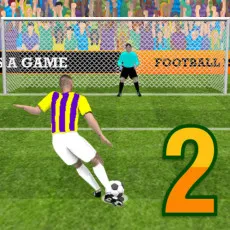
Pill Soccer
MOVE JUMP AND KICK SEPARATELY
Pill Soccer has separate control settings for movement, leap, kick and Super Bonus input. This soccer game has matches against other genuine players, and a two player mode to challenge a friend. Quick Play and Tournament are also listed, with a shared control scheme for those options.
The separate actions let you choose when to move, jump, or kick rather than combining them into one input. Learning which key handles each action gives you a concrete starting point before taking on an opponent.
Which Keys Control Each Player
In two-player mode: player 1 jumps with Up Arrow, moves left with Left Arrow, and moves right with Right Arrow. Press P or Down Arrow to kick, and K to activate Super Bonus. Player 2 jumps with W, moves left with D, and moves right with A. Press S or Space to kick, and Z for Super Bonus. These movement assignments differ between players, so check your own controls before the match begins.
For Quick Play or Tournament in Pill Soccer, jump with Up Arrow or W. Move left with Left Arrow or S, and right with Right Arrow or A. Kick with P or Space, and use K for Super Bonus.
Two Players Have Separate Key Assignments
The two-player option gives each participant a distinct set of inputs for the same five actions. A match against a friend therefore requires learning your assigned keys as well as coordinating movement with kicks.
SOCCER MATCHES WITH FIVE ASSIGNED ACTIONS
Pill Soccer pairs its opponent options with explicit controls for positioning and ball contact. The listed Super Bonus has its own key alongside the movement, jump, and kick inputs. Put the five action controls to work against an opponent in Pill Soccer.
KEEP PLAYING
- Indoor Soccer
- Rocket Soccer Derby